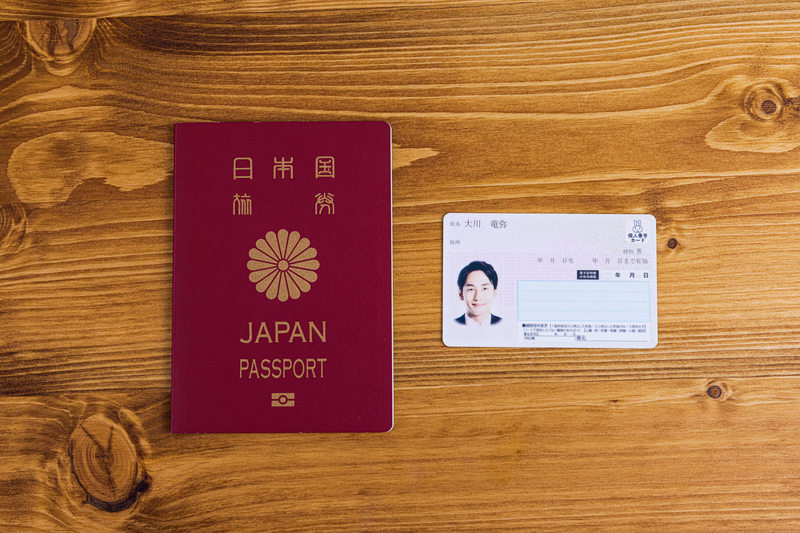
Even if you hear the news that "it's now possible to apply for a passport online," there are probably still not many people who have actually tried it.
I needed to re-obtain my passport for identity verification on the overseas website POND5. This time, I'll summarize my experience of actually starting the application process via the My Number Portal as the first step in that process
What do I need to apply for a passport online?
First of all, the preparation is surprisingly simple.
- My Number Card (with a valid digital signature certificate)
- Smartphone (My Number Portal app compatible model)
- Facial photo data (compliant with standards)
- How to pay the application fee (pay upon receipt)
If you have all of these, you can apply from home without having to go to a passport center.
I started the application process at night. It went surprisingly smoothly.
On the evening of Sunday, October 26, 2025, I logged into the My Number Portal and started the application process.
I entered my name, address, phone number, and passport collection location.
It went more smoothly than I expected, and there were hardly any parts where I got confused.
It's important to note that youabsolutely must log in using your My Number Card.
You cannot access the passport application page with a regular account login.
The system uses the NFC function of your smartphone to read the card.
It's convenient to be able to save the progress
I found the feature that allows you to resume your work later, even if you interrupt the process on the photo and signature upload screen, to be very convenient. However, this "save in progress" is not saved online, but as a file on your smartphone.
When resuming your application, you need to upload that saved file to continue.
On iPhones, the saved file is stored in the "Files" app, so it's important to remember where it was saved when you want to resume your work.
The requirements for the portrait photo were quite specific, such as "no shadows on the face" and "a white background," making it difficult to take under nighttime lighting.
Therefore, I decided to take the photo the following day during the daytime using natural light.
My impressions so far
To be honest, I had the impression that "online applications = difficult," but it's more intuitive and easier to understand than I expected.
On the other hand, people who aren't used to using smartphones or who haven't renewed their electronic certificates might run into problems.
Even so, I think it's a big step forward that we can get this far without having to go to a government office.
After finishing the operation, a thought suddenly occurred to me:
It offers both convenience and peace of mind. The ability to save mid-process creates a sense of ease and flexibility in the work.
Perhaps this is the greatest advantage of going online.


comment